


Vava.chat-Video Call&Translate
4.7180.00 Reviews
App Specs
- Version
- 4.7.5
- Updated On
- License
- Free
- Downloads
- 10,000,000+
- Developer
- GoParty Team
- Categories
- Social
- Platform
- Android
Screenshots
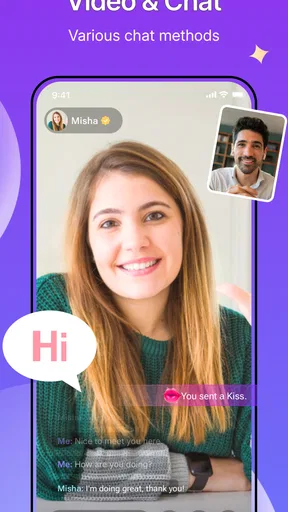
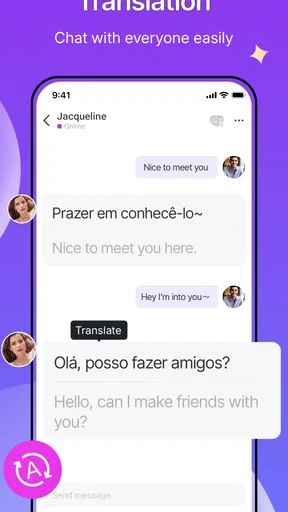
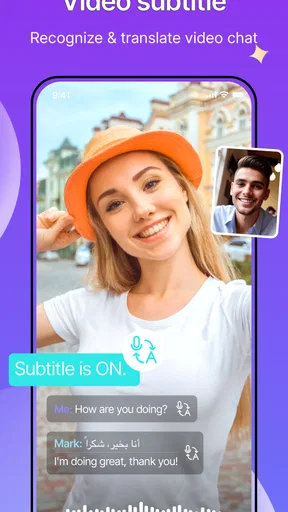
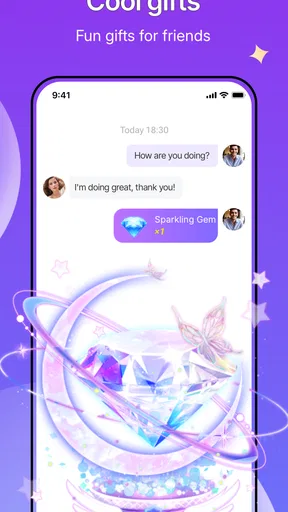
 Analysis by AppCompare
I approached Vava.chat-Video Call&Translate as a social app for people who want direct video conversations rather than a public feed or a large group chat. Its central idea is simple: connect two people in a private call and make language differences easier to manage with real-time translation. That makes it interesting for international conversations, but it also means trust and personal boundaries matter more than they do in an ordinary messaging app.
After spending time with the app, my impression is that it is best understood as a focused conversation tool, not a complete replacement for every social platform. The experience is built around meeting or speaking with individuals, and that can feel more personal than scrolling through posts. At the same time, one-to-one video interaction can become uncomfortable quickly if you are not careful about who you engage with and how much personal information you reveal.
The app is free to install, with optional purchases ranging from $0.99 to $203.99 per item. It is aimed at mature users aged 17 and above, which is an important part of the context rather than a minor store label. I would not recommend treating it like a casual children’s chat app. The developer is GoParty Team, and the app has reached over 10 million installs with a 4.7 average from around 79 thousand ratings, so it clearly has a sizeable audience and strong overall reception.
What the private video format feels like in everyday use
The strongest use case is a short, direct conversation where translation can remove some of the friction between two people who do not share a comfortable language. Imagine being on a trip, wanting to meet people beyond your usual language circle, or simply being curious about conversations with users from other countries. In those situations, the translation focus gives the app a clearer purpose than a general-purpose social network.
I also see a practical role for people who are learning a language. A private call can provide a more natural test than typing isolated sentences into a translation tool. You can pay attention to tone, pauses and the rhythm of a conversation, while translation helps keep the exchange moving. I would still treat the translated result as assistance rather than a perfect interpreter. Humor, slang, sarcasm and emotionally sensitive comments can lose their meaning when converted in real time.
That limitation changes how I would use it. For basic introductions, travel talk and simple everyday subjects, translation can make the conversation less intimidating. For legal, medical, financial or deeply personal discussions, I would choose a more dependable human translation option or a service designed for that specific situation. A social app is not the place where I would make an important decision based only on an automated translation.
The private format also changes the social pressure. In a public feed, you can often ignore a post and move on. In a one-to-one call, the other person has your immediate attention, and ending the interaction may feel more awkward. My practical advice is to decide your boundaries before starting: what topics are off limits, how long you are willing to talk, and what you will do if the conversation becomes uncomfortable. That small preparation makes the app feel much more manageable.
Worth Reading Before You Choose

Switching to Android Auto Means Rethinking Your Driving Routine

Google Calendar Makes a Crowded Week Easier to Manage

Baby Panda World Brings Quick Play to Modern Phones, but Its Game Library Feels Busy

ESPN’s Live Game View Makes Following Close Games Easier

QuizzLand Review: A Good Fit for Short Trivia Breaks, Not Every Player

Basketball Stars: Multiplayer Is Fast, but Can It Recover When Matches Go Wrong?
Why trust matters more here than in a normal social feed
Video communication exposes more than text. Your face, voice, surroundings, schedule and reactions can all reveal information without you deliberately sharing it. Even a background window, school uniform, workplace badge or delivery label can identify more than expected. I recommend checking the camera view before connecting and choosing a neutral setting whenever possible.
This is also why I would avoid treating a friendly conversation as proof of someone’s identity. Translation can make communication feel smoother, but it does not verify the person on the other side. A convincing profile or pleasant conversation should not be used as a reason to share your full name, address, workplace, travel plans or financial details.
My trust assessment is therefore cautious rather than absolute. The app’s purpose is legitimate and easy to understand, and its large audience suggests that many people find value in it. Still, popularity is not the same as personal safety. I judge the experience by the controls I can see and by the choices I can make, not by assuming that every interaction will be harmless.
Controls I would check before starting a call
Before using any social video service, I look for the basic ability to control my participation. That includes whether I can decide when to appear on camera, end a call promptly and avoid continuing an interaction that feels wrong. I also pay attention to whether the app makes reporting or blocking understandable rather than hiding those actions behind confusing screens.
With this kind of service, the most useful control is often the simplest one: leave immediately when a conversation crosses a boundary. You do not owe a stranger an explanation. If the interface makes it easy to disconnect, that is a meaningful part of the user experience. If you have to search through several screens while the other person continues talking, the app becomes harder to use safely.
I would also review account and notification settings early, before building a routine around the app. Notifications can pull you back into conversations at inconvenient times, and a social app can become intrusive if every interaction demands an immediate response. Keeping alerts limited to what you actually need is a small but effective way to retain control.
Another useful habit is to separate experimentation from commitment. I would first explore the app without sharing personal details, make a test conversation short, and observe how comfortable the controls feel. Only after that would I decide whether it deserves a regular place on my phone. This approach is especially sensible when an app combines social discovery, video and optional purchases.
How I would handle sensitive moments
Real-time translation is most valuable when both people are patient. If a sentence comes through strangely, I would rephrase it in short, plain language instead of repeating the same wording louder or assuming the other person misunderstood on purpose. Short sentences also reduce the chance that the translation system will mix together several meanings.
For sensitive topics, I would slow down and confirm the meaning before reacting. A mistranslated joke can sound insulting, while a poorly translated request can seem more urgent than intended. This is one of the less obvious trade-offs of Vava.chat: the feature that enables a conversation can also create false confidence. When communication matters, I would ask the other person to restate the point and avoid sending money or making commitments based on a hurried exchange.
Privacy requires similar care. I would not show documents, tickets, screens containing account information or the inside of my home during an early call. I would also avoid discussing exact travel dates, daily routines and places where I can be found. These precautions are not signs that every user is dangerous; they are sensible responses to the fact that video reveals context very quickly.
If another user pressures me to move the conversation elsewhere, asks for money, requests intimate material or becomes aggressive, I would end the call rather than negotiate. A translation feature can help with ordinary communication, but it should never be used to excuse harassment. The best workflow is to stop first, then use the available account controls to manage the interaction.
Purchases, expectations and user choice
The free entry point makes it easy to try the service without paying at the start. However, optional purchases can reach a high price per item, so I would inspect every purchase screen carefully and avoid assuming that a free download means every part of the experience is free. I would also use device-level purchase protections, particularly on a shared phone or an account used by more than one person.
My advice is to decide on a spending limit before exploring paid elements. Social apps can make a purchase feel connected to attention, access or the momentum of a conversation, which can lead to decisions made in the moment. If an interaction seems to depend on paying, I would step back and ask whether I am buying a genuinely useful function or simply responding to social pressure.
This is where user agency becomes important. A good experience is not only about finding interesting people; it is about being able to choose when to participate, what to disclose and whether to spend. I would keep those decisions separate. Enjoying a conversation does not obligate me to continue it, reveal more about myself or purchase anything.
The app’s mature age rating reinforces that approach. I would be particularly careful about younger users gaining access through a shared device, because video conversations and private contact require a level of judgment that is not appropriate for everyone. Parents or guardians should not rely only on the age label; they should also consider device controls, account access and whether the user understands how to end and report an interaction.
Where it fits among familiar alternatives
Compared with a standard messaging app, Vava.chat is more immediate because video is central rather than an occasional add-on. That can make conversations feel warmer and more spontaneous, especially when translation is useful. The trade-off is that text gives you more time to think, edit and decide what to share. If you prefer careful conversations, ordinary messaging may be the better first step.
Compared with a public social network, the private one-to-one format reduces the performance of posting for an audience. You are not primarily creating content for followers; you are dealing with a direct exchange. That can be appealing if public feeds feel noisy. On the other hand, public interaction often gives you more visible context about a person, while a private call can move quickly from introduction to personal conversation.
Compared with a dedicated translation tool, the app adds a social connection rather than simply converting text or speech. That is its main distinction. A translation app is the better choice when I already know whom I need to communicate with and only want language assistance. Vava.chat makes more sense when meeting or speaking with people is part of the goal.
Compared with a conventional dating or friendship service, I would not assume that every person is looking for the same kind of relationship. The app’s social nature can support casual international conversation, but I would clarify expectations early and avoid interpreting attention as commitment. If I wanted structured matching, detailed profiles or a clearly defined relationship purpose, another category of app might suit me better.
Small habits that improve the experience
My first practical tip is to begin with a short conversation rather than an open-ended call. This gives me a low-pressure way to test the translation, audio quality and social tone without feeling trapped in the interaction. If the exchange goes well, I can continue; if it does not, leaving feels natural.
Second, I would keep a few neutral subjects ready: food, local customs, hobbies and travel impressions. These topics are easier to translate than complicated personal stories and help reveal whether the other person respects normal conversational boundaries. The way someone responds to a simple limit can tell me more than an enthusiastic introduction.
Third, I would use the camera deliberately. A plain background protects privacy and keeps attention on the conversation. If video feels too revealing at a particular moment, I would not force myself to continue just because the call has started. The point of a private conversation is to give me more control, not less.
Fourth, I would review purchases and notifications when I am calm, not during an exciting conversation. This separates technical choices from emotional momentum. It is a small workflow change, but it helps prevent accidental spending and makes it easier to keep the app within the role I intended for it.
Finally, I would keep the app updated. The current version is 4.7.5, and the minimum operating system requirement is Android 7.0. Those details matter when deciding whether an older phone can run it, but they also remind me to check compatibility before troubleshooting a problem that may simply come from the device or operating system.
Who should try it, and who should skip it
I would recommend Vava.chat to an adult who genuinely wants private conversations with people from different places and is comfortable managing personal boundaries. It is especially appealing if translation is a meaningful part of the goal rather than a decorative extra. Language learners, travelers and socially curious users may find the direct format more engaging than a text-only community.
I would skip it if I dislike spontaneous video, want a tightly moderated professional environment or need translation for high-stakes communication. I would also choose another option if I prefer to know a great deal about a person before speaking privately. The app’s strengths depend on openness and immediacy, while those same qualities can feel like weaknesses for users who value structure and predictability.
People who are easily pressured into spending should approach the optional purchases with extra caution. The free starting point is useful, but a social setting can make paid choices feel emotionally connected to another person’s attention. I would only use paid features after understanding what they do and deciding that the cost fits my own plan.
My cautious verdict
Vava.chat-Video Call&Translate has a clear identity: it brings private video conversation and real-time language assistance together in one social experience. I like the fact that it gives international conversation a practical reason to exist instead of relying only on endless scrolling. When both users are respectful and the subject is straightforward, the format can be friendly, useful and surprisingly natural.
My reservations are equally clear. Translation is not perfect, privacy can disappear through ordinary background details, and one-to-one video creates more pressure than text. Optional purchases also deserve deliberate attention, particularly because the available price range is wide. None of those points makes the app unusable, but they do mean I would approach it with a plan rather than casual trust.
My recommendation is to try it slowly, protect your personal context and keep every decision in your own hands. Start with short, low-risk conversations, use simple language, leave quickly when a boundary is crossed and treat translation as assistance rather than certainty. For the right adult user, that cautious approach lets the app’s international social angle shine without ignoring the responsibilities that come with private video communication.
Pros
- Real-time translation helps reduce language barriers during video calls.
- Video calling makes conversations feel more personal than text translation.
- Useful for meeting people from different countries and cultures.
- Simple concept that is easy for new users to understand.
- Can support communication when traveling or practicing another language.
Cons
- Translation accuracy may vary with accents
- slang
- and background noise.
- Video calls can consume significant mobile data and battery power.
- A stable internet connection is needed for smooth conversations.
- Some features may require in-app purchases or a subscription.
- Privacy policies should be checked before sharing personal video or voice data.
FAQs for Vava.chat-Video Call&Translate
What is Vava.chat-Video Call&Translate used for?
Vava.chat-Video Call&Translate is designed for making video calls while helping people communicate across language barriers. Its main appeal is the combination of face-to-face conversations and translation features, which may be useful for meeting international users, chatting with friends abroad, or practicing another language. Before downloading, remember that the quality of the experience can depend on your internet connection, the availability of other users, and the languages supported by the app.
Does Vava.chat provide real-time translation during video calls?
The app is built around video communication with translation assistance, but the exact behavior may vary depending on the current version, selected language pair, and the type of conversation. Translation can be helpful for understanding messages or spoken exchanges, although it should not be treated as perfect. Accents, background noise, slang, fast speech, and technical issues may lead to inaccurate results, so important or sensitive conversations should always be confirmed carefully.
Is Vava.chat-Video Call&Translate free to download and use?
Vava.chat may be available to download at no initial cost, but some communication tools, premium functions, virtual items, or extended usage may require in-app purchases or a subscription. We recommend checking the app’s store listing for the latest pricing before creating an account or starting a call. Also review the payment and renewal terms, particularly if a free trial is offered, because subscriptions can renew automatically unless cancelled through your device settings.
Is Vava.chat safe for private video conversations?
As with any social video-chat service, users should be cautious when sharing personal information, photos, location details, or payment data. Review the app’s privacy policy and permissions before using it, and only enable access that is necessary for calling, such as the camera and microphone. Use available blocking or reporting tools if someone behaves inappropriately. It is also wise to avoid sending money or moving conversations to unknown external platforms.
What do I need to use Vava.chat-Video Call&Translate successfully?
You generally need a compatible Android or iOS device, a stable internet connection, and permission to use the camera and microphone for video calls. A quiet environment and good lighting can improve the conversation, while headphones may reduce echo. Depending on the app’s account system, you may also need to register with basic information. Check device compatibility, supported languages, age requirements, and regional availability before downloading.


